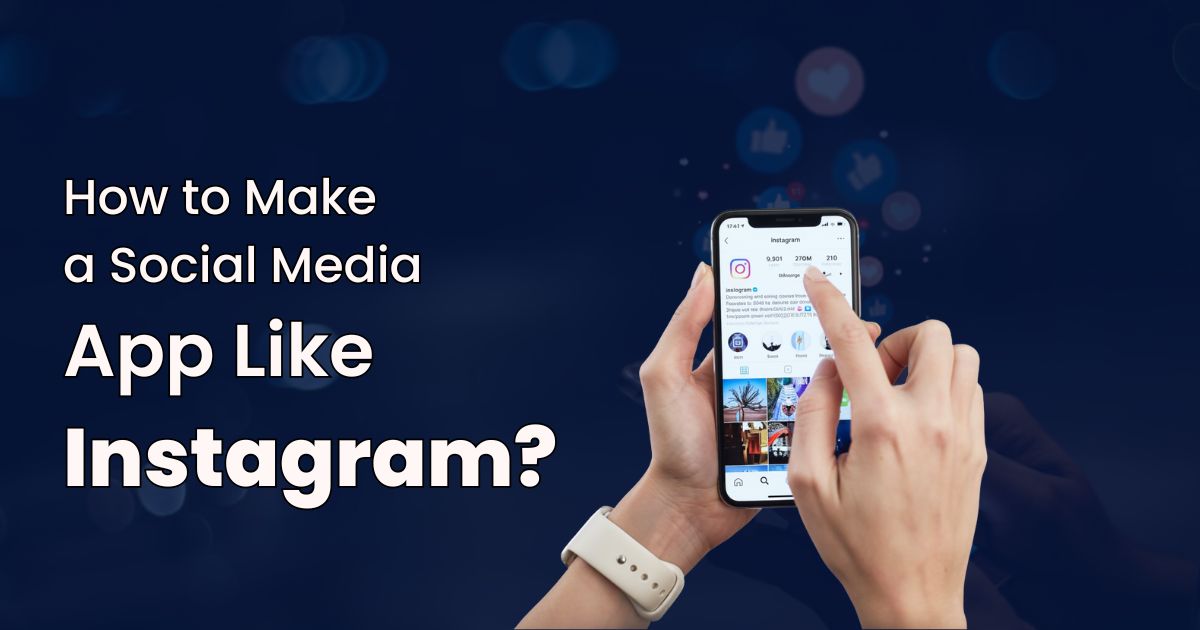
Imagine opening an app that instantly pulls you in, where people aren’t just posting photos or videos, but telling stories, discovering creators, and coming back multiple times a day without even thinking about it. That’s what building a social media app like Instagram is really about. It’s not just a gallery of content; it’s a living, breathing digital community designed to spark connection, creativity, and constant engagement.
Behind the scenes, today’s successful social platforms run on far more than likes and comments. They rely on powerful media processing, real-time interactions, AI-driven content discovery, and smart monetization, all delivered through a smooth, addictive user experience.
In this guide, we’ll walk you through the bifurcation on how to develop an app like Instagram. From must-have features and development stages to costs, app models, and how partnering with Webby Central can help you stand out in a crowded social media landscape.
What Building Apps Similar to Instagram Really Means?
When people say they want to build “apps similar to Instagram,” they’re not talking about creating a carbon copy. What they really mean is recreating that feeling, a smooth, photo-first social experience where everything just works. Users expect crisp media uploads, lightning-fast interactions, an endless discovery feed, and intuitive ways to follow, like, comment, share, and connect with others.
Today’s audience is far more demanding than before. Speed isn’t optional, privacy and trust are non-negotiable, and features like Stories, Reels-style short videos, creator tools, and even in-app shopping are now standard expectations, not bonuses. If any of these feel clunky, users won’t hesitate to move on.
So building an Instagram-like app is really about balance. You need rock-solid engineering under the hood, a clean and addictive user experience on the surface, and a scalable architecture that can grow with your audience. Add a smart monetization strategy to support long-term growth, and you’re no longer just “building an app”, you’re creating a platform people want to come back to every single day.
How to Make Instagram Like App With Distinctive Features?
If you want your app to really feel like Instagram, you can’t just throw in a few basic features and call it a day. You need a solid foundation of core functionalities that keep users coming back, engaging, and sharing. Here’s what that looks like, broken down in a more conversational way on how to develop an app like Instagram with basic features:
- User Accounts & Authentication
Signing up should be effortless. Think email or phone registration, one-tap OAuth options like Google, Apple, or Facebook, plus security features like two-factor authentication and password recovery. Users need to feel safe and in control from the moment they join.
- User Profiles
Profiles are more than just a photo and name. Users expect a bio, website link, follower/following counts, privacy settings, and maybe even verification badges. This is how they showcase themselves and manage their social identity.
- Photo & Video Uploading
High-quality media is a must. Your app should handle client-side compression, different aspect ratios, multiple formats, and show progress indicators so users know their content is uploading smoothly. Nobody likes waiting forever to see their post live.
- Feed / Timeline
The feed is the heart of your app. Whether it’s algorithm-driven, chronological, or a mix of both, it should scroll infinitely, refresh easily, and even allow offline caching so users can browse anytime.
- Likes, Comments & Reactions
Engagement happens here. Likes, comments, threaded replies, emoji reactions, all of it should update in real time. Bonus points if you include moderation tools to keep the community safe and welcoming.
- Following / Followers / Social Graph
The social graph is what makes your app stick. Follow, unfollow, check mutual connections, and manage requests for private accounts. This is how relationships grow, and communities form.
- Search & Explore
Discovery drives engagement. Users want to find people, hashtags, trending content, and recommendations for posts and creators they might like. Make it smart, intuitive, and fun to explore.
- Notifications & Real-time Updates
Nothing keeps users hooked like instant feedback. Push notifications, in-app alerts, and real-time updates for likes, comments, and messages make your app feel alive and keep people coming back for more.
Advanced Features to Include in Your Social Media App Like Instagram
If you really want your app to stand out and keep users coming back, you need more than just the basics. These advanced features not only make your platform engaging but also give users reasons to stick around and creators reasons to invest their time. Here’s how to make an app like Instagram with advanced features:

- Stories & Ephemeral Content
Short-lived content is addictive. Think 24-hour Stories with fun stickers, polls, location tags, view counts, and the ability to save highlights. It’s a quick, playful way for users to share moments without committing to permanent posts.
- Short-Form Video (Reels/TikTok Style)
Vertical, full-screen videos are a must for engagement today. Add music libraries, AR effects, and features like duets or remixes to let users get creative and go viral in seconds.
- Direct Messaging & Group Chats
Messaging keeps the community alive. From media-sharing chats and disappearing messages to reactions, read receipts, and optional end-to-end encryption, messaging features make the platform feel personal and interactive.
- Creator Tools & Monetization
Empower your creators. Offer paid subscriptions, tipping, badges, insights, in-app purchases, and brand partnership modules. When creators earn and grow, your platform grows with them.
- In-App Photo & Video Editor
Give users the tools to make their content pop. Filters, crop/rotate, exposure tweaks, stickers, text overlays, and basic timeline trimming let people create polished posts without leaving the app.
- Live Streaming & Live Commerce
Live content drives real-time engagement. Low-latency streaming with live comments, product linking during sessions, and archived streams create interactive experiences, and even revenue opportunities.
- Social Shopping & Product Tags
Shoppable posts are the future. Integrate product catalogs, checkout options, and merchant dashboards so users can discover and buy without leaving the app. It’s seamless, engaging, and monetizable.
- AI & Personalization Engines
Smarter feeds keep users hooked. Use AI for content recommendations, automated moderation, face/scene tagging, engagement prediction, and feed ranking. Personalized experiences make every scroll feel relevant and exciting.
How to Make a Social Media App Like Instagram by Following a Step-By-Step Process?
Building an app like Instagram isn’t something you can just “code overnight.” It takes a clear, step-by-step approach to make sure you’re creating a product users love while keeping risks low. Here’s a more conversational breakdown of the full development journey:
- Discovery & Market Research
Before you write a single line of code, you need to know who you’re building for. Define your target audience, check out the competition, nail down your core value proposition, and figure out the metrics that will define your success.
- Requirements & Feature Prioritization
Not every feature needs to launch day one. Identify your MVP (Minimum Viable Product) features, outline non-functional requirements like scalability and latency, and make sure you meet compliance needs. This keeps your roadmap realistic and focused.
- UX Strategy & Wireframing
Now, map out the user journey. Plan the content hierarchy and create low-fidelity wireframes that show how users will interact with the app. The goal is a smooth, intuitive experience from tap one.
- UI Design & Prototyping
Once the skeleton is ready, bring it to life with high-fidelity designs. Add motion for smooth transitions, and build interactive prototypes to test usability before development begins.
- Technical Architecture & Stack Selection
Decide how you’re going to build the app under the hood. Will it be native iOS/Android or cross-platform? Microservices or monolithic backend? Choose the right CDN, streaming solutions, and database types, relational for user data, NoSQL or cached stores for feeds.
- Backend Development & APIs
Time to get technical. Build authentication, media pipelines, feed generation, notifications, analytics, and admin panels. REST or GraphQL APIs connect everything, keeping your app modular and scalable.
- Mobile App Development
Develop the actual app interface: upload flows, feed rendering, offline caching, local databases (SQLite or Realm), and secure storage for tokens. This is where your design truly becomes interactive.
- QA, Load Testing & Security Audits
Test everything rigorously. Check functionality, simulate heavy traffic with load testing, and run security audits and penetration tests to ensure your app is safe and reliable.
- Beta Launch & Feedback Loop
Soft launch with an invite-only beta. Gather real user feedback, tweak feed algorithms, adjust UX, and fix bugs before going wide. This step is crucial to avoid big surprises at launch.
- Production Launch & Growth Engineering
Finally, launch to the public. Focus on app store optimization, onboarding funnels, referral loops, and continuous measurement with A/B testing to fuel growth. The launch isn’t the end but just the beginning of scaling and evolving your app.
How Much Does it Cost to Make a Social Media App?
When it comes to building an app like Instagram, costs can vary a lot depending on the features, technology choices, and who you work with. Think of these numbers as ballpark estimates; they’ll help you plan your budget and understand where your money goes. Keep in mind: actual costs can change based on integrations, complexity, and regional rates.
| Category | How Much Does it Cost to Make a Social Media App? | What’s Included in the Development Process? |
| MVP Development (End-to-End) | $60,000 – $250,000 | Core features like signup, feed, uploads, likes, comments, basic messaging, notifications. |
| Design & UX | $8,000 – $40,000 | User research, UX flows, high-fidelity UI, motion prototypes. |
| Backend & Infrastructure | $20,000 – $120,000 | Authentication, media storage & processing, feed generation, APIs, and admin console. |
| Mobile App Development (iOS & Android) | $30,000 – $150,000 | Native or cross-platform development, offline sync, and device optimizations. |
| Media Processing & CDN Setup | $5,000 – $30,000 | Video/image encoding, thumbnails, CDN bandwidth, streaming infrastructure. Ongoing costs depend on traffic. |
| Third-Party Services & Licensing | $500 – $3,000+/month | Push notifications, analytics, SMS/email providers, and payment gateways. |
| Testing, QA & Security Audits | $5,000 – $25,000 | Functional QA, automated tests, load testing, and security review. |
| Maintenance & Post-Launch Support | 10–20% of initial development per year | Bug fixes, updates, monitoring, and scaling infrastructure as the user base grows. |
Why Choose Webby Central as Your Trusted Social Media App Development Company?
When you’re building a media-rich social app, having the right partner can make all the difference. Webby Central, a next-gen social media app development company, brings end-to-end expertise in designing, developing, and operating mobile-first social platforms, covering everything from intuitive UX and high-performance media pipelines to robust backend systems and analytics.
Our team knows how to optimize media encoding, leverage CDNs, implement client-side compression, and ensure low-latency streaming, all while building scalable architectures that can handle millions of users with ease. Security and compliance are baked in from day one, with secure authentication, data encryption, and privacy-focused designs that keep your users and their data safe.
Beyond development, Webby Central helps your app grow and succeed in a competitive market. We specialize in rapid MVP launches, iterative delivery, and validating product-market fit quickly. Our expertise extends to growth engineering, app store optimization, viral loops, and analytics-driven strategies. We also have extensive experience integrating creator tools, subscriptions, tipping, and social commerce features like shoppable posts and merchant dashboards.
With Webby Central, you’re not just building an app but gaining a long-term partner for ongoing support, feature roadmaps, performance monitoring, and cost optimization, ensuring your platform continues to thrive and evolve.





Write A Review